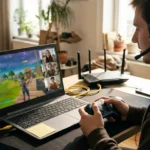
The cleanest design I found never uploads your game. You pick a file from your own device, and the browser does the rest. That is how a good online gaming emulator works. It runs emulator cores as WebAssembly inside a tab, so you install nothing. The software is the easy part. The games are where the trouble starts. So here is my short checklist. Check how the player runs, whether saves and controllers work, whether netplay feels fair, and what the law says about your files. I haven’t built a retro site myself, so I’m working from documentation and public reporting. I’ll flag every number I couldn’t verify.
How Does an Online Gaming Emulator Work in a Browser?
Most browser players sit on top of an old, well-tested idea. Someone writes an emulator core that imitates a console’s hardware. Someone else compiles it to WebAssembly, a format browsers run at near-native speed. A frontend wraps it with menus, saves and controls. That’s the whole stack. What I like is how little the visitor needs, just a modern browser and a file. What I don’t like is how many sites bury this simple thing under ads and fake download buttons. Knowing the stack makes the bad sites easier to spot. If a page asks you to install a random program to play in a browser tab, something is off.
What is EmulatorJS?
It’s an open-source frontend that runs RetroArch cores in a browser. One deployment page describes dozens of libretro cores compiled to WebAssembly and wrapped in a touch-friendly player with save states, shaders, cheats and gamepad support. The project uses the GPL-3.0 license and builds its cores with Emscripten. Early 2026 coverage listed version 4.2.3, released in July 2025, and credited a community team. Check the project page for newer releases. Many retro sites use this or something close to it, so the same strengths and limits show up everywhere. Deploy EmulatorJS +2
Do you need to download anything to play?
Not for the player. The EmulatorJS player lets you drag a game file onto a drop zone or pick one with a file picker. Consoles that need firmware, such as PlayStation, Saturn and PC-FX, take a BIOS file in a second picker, again from your own device. Heavier cores like PSP need HTTPS and the right server headers. The emulation itself runs in your browser, so your CPU, GPU and browser matter more than the server. A phone usually handles 8-bit and 16-bit systems fine. I wouldn’t promise the same for PSP. railway.com +2
Which Features Separate a Good Emulator Site From a Bad One?
Many sites look alike, with the same grid of cover art. The features underneath are what differ. I’d test three things in the first five minutes. Make a save state. Plug in a gamepad. Play long enough to hear whether the audio stays in sync. Ads tell you how a site pays its bills, and pop-ups tell you what it thinks of you. EmulatorJS itself contains no ads and is free to use, though ads may appear on its demo page to fund development. That’s a fair model. A page that hides the game behind three timers is not. gigazine
Do save states and controllers work in a browser?
Yes, on a good player. Save states freeze a game at any moment, and gamepad support covers common USB and Bluetooth pads. EmulatorJS lists both as built-in features. Cloud saves are another matter. Whether progress follows you across devices depends on the site, because browser storage stays on one device unless the host adds accounts. Test it before you sink hours into a long RPG. If the site offers a save export, use it. railway
How do you keep input lag low?
Start with the boring fixes. Use a wired or well-paired controller, close heavy tabs and update your browser. Pick the right core for the system, since some run faster than others. Fullscreen often helps too. I can’t give you a lag number I trust, because it varies by device, browser and core. For fighting games, even small delays wreck timing, so test with a game you know well. If it feels floaty, try another browser before you blame the site.
Can You Play Retro Games Online With Friends?
Yes, but this is the hard part. Old games were never built for the internet. Netplay sends inputs between players and keeps two emulators in sync. Done badly, it feels like fighting underwater. Done well, it’s the reason many people use these tools at all. I’d treat browser multiplayer as a bonus, not a guarantee. And I’d be careful with sites that advertise big player counts and server ports. I couldn’t verify any of those claims, so I’m leaving them out.
What is rollback netcode?
It hides lag by guessing. Your emulator assumes your opponent’s next input, keeps playing and rewinds to fix the guess if it was wrong. GGPO popularized the idea for fighting games, and Fightcade builds on it for arcade titles, as far as I know. It needs fast save states and a deterministic emulator, meaning the same inputs always give the same result. I couldn’t verify a current Fightcade game count, so I won’t quote one.
Why do some netplay sessions desync?
Because the two emulators stopped matching. A core that uses unseeded random numbers, or behaves differently on two machines, can drift apart after a few minutes. Then each player sees a different game. Relay servers help with NAT trouble, but they can’t fix non-deterministic code. In my reading, the most common cure is simple. Make sure both players use the same core version, and restart the session.
Is Playing Retro Games in a Browser Legal?
Here is how I’d split it. The emulator software is usually the lawful part. One review of EmulatorJS notes that the GPL-3.0 program reimplements emulation functions without copying manufacturer code. The game files are the risky part. I’m not a lawyer, and rules vary by country, so treat this as orientation, not advice. Age doesn’t end copyright. Many publishers still sell or license classic titles. But the supply problem is real, and it fuels the arguments. tech-insider
What did the US Copyright Office decide in 2024?
It refused an exemption. The proposal would have let libraries and archives share digital access to out-of-print games remotely. The Register sided with the Entertainment Software Association and others, who argued it could become a free online arcade that harms the market for classic re-releases. The Video Game History Foundation says about 87 percent of US games released before 2010 remain out of print. Both sides have a point. The law just hasn’t caught up. u s copyright office rejects dmca exemption to support game preservation +2
What are legal ways to play retro games online?
Start with files you’re entitled to use. EmulatorJS’s demo runs a public-domain SNES demo called Mode 7 Interactive Demo. Homebrew and indie releases often allow free play. Games you own may be dumped from your own cartridges and discs, if your local law allows it. Licensed services are another route, such as Nintendo Switch Online and Antstream Arcade, though catalogs and prices change, so check first. I’d skip sites hosting big libraries of commercial games. Beyond the legal risk, those pages tend to be ad-heavy. gigazine
Conclusion
I keep thinking about that drop zone. One file, picked from your own device, and the browser does everything else. That’s the best online gaming emulator design I’ve read about, and it’s also the most honest one. So here’s my short version. Check the player, test saves and a controller, treat netplay as a bonus and keep your files lawful. I haven’t run a retro site myself, and I couldn’t verify most of the big numbers sites advertise. I’m curious whether the law will catch up with the technology. Right now, it hasn’t.
FAQs
Is it legal to play retro games in a browser?
The emulator software is generally lawful, but the game files are a separate question. Downloading commercial games you don’t own usually infringes copyright, and rules vary by country. I’m not a lawyer, so check your local law.
Do I need to download a ROM or install anything to play?
You don’t install the player, but you do need a game file you’re entitled to use, such as a public-domain demo, a homebrew title or a backup of a game you own. Some systems, like PlayStation, also need a BIOS file from your own device.
Can I play retro games on my phone or Chromebook?
Often yes, in a modern browser. 8-bit and 16-bit systems usually run well, while heavier systems may struggle. A paired Bluetooth gamepad helps a lot.
Why does multiplayer lag on browser emulators?
Old games weren’t built for internet play, so netplay has to hide the delay. Rollback netcode helps, but desyncs and long distances can still hurt. Matching core versions and a wired connection help most.